
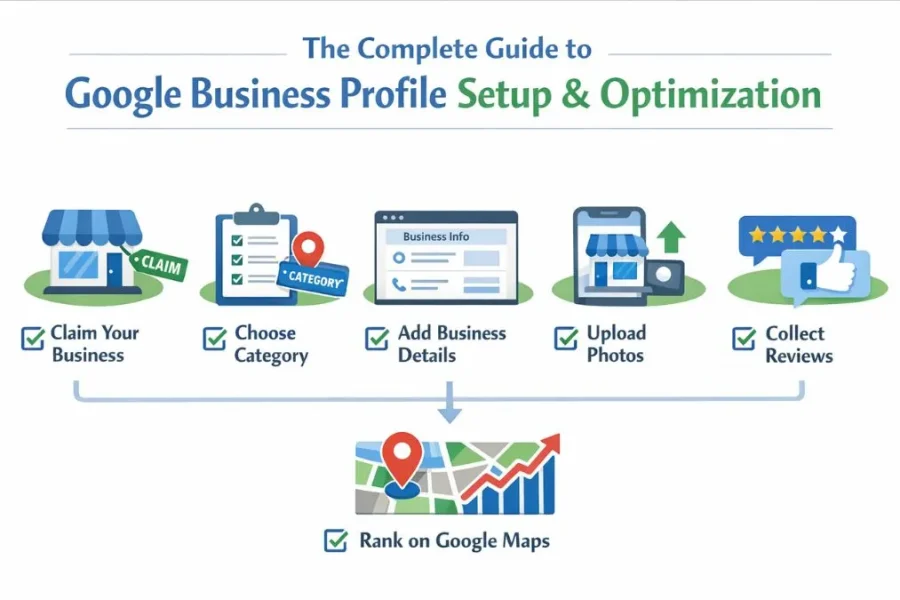
Google Business Profile setup and optimization is one of the most effective ways for local businesses to appear in Google Maps and local search results. In fact, in 2025, Google Business Profile often influences buying decisions more than a website because Google prioritizes verified business data, proximity, and real user engagement.
From hands-on experience working with local shops, service providers, startups, and agencies, I’ve seen businesses increase calls and enquiries simply by improving their Google Business Profile, sometimes without paid ads or heavy link building.
This guide explains how to set up a Google Business Page correctly, how to optimize it for sustainable rankings, and the common mistakes that prevent businesses from reaching the top of local results.
What Is Google Business Profile and Why It Matters
Google Business Profile (formerly Google My Business) is Google’s official system for managing how a business appears on Google Search and Google Maps.
A properly optimized profile allows potential customers to:
- Call your business directly
- Request directions
- Read and trust reviews
- Visit your website
- Compare your services with nearby competitors
For searches with local intent, Google Business Profile for local businesses is usually the first and most visible result, especially on mobile.
Why Google Prioritizes Google Business Profile Listings
Google prioritizes Google Business Profile listings because they provide strong real-world trust signals.
Key reasons include:
- Local intent triggering the Map Pack
- Verified business ownership
- User engagement, such as calls, clicks, and direction requests
- Profile freshness and activity
When a Google business page setup is incomplete or inactive, competitors with better optimization often outrank it, even if the services are similar.
Google Business Profile Setup Checklist (Quick Overview)
Before diving deeper, here’s a quick reference checklist:
- Claim or create your business listing
- Complete business verification
- Select the correct primary category
- Add accurate NAP details
- Write a trust-focused business description
- Upload photos and add services
This structure also improves featured snippet eligibility and works well for voice search and AI summaries.
Google Business Profile Setup and Optimization: Step-by-Step
Step 1: Create or Claim Your Business Listing
Start by visiting Google Business Profile and:
- Search for your business name
- Claim the listing if it already exists
- Or create a new profile
Practical tip:
Always use your official business name. Adding keywords to the business name increases suspension risk, especially as Google’s automated checks have become stricter in 2025.
Step 2: Choose the Right Primary Category (Critical)
Your primary category strongly influences which searches you appear for.
| Business Type | Incorrect Category | Better Category |
| Digital Agency | Marketing Consultant | Digital Marketing Agency |
| Salon | Beauty Shop | Hair Salon |
| Dentist | Medical Center | Dentist |
In multiple real cases, simply correcting the primary category has been associated with improved Map Pack visibility within weeks.
Step 3: Add Accurate and Consistent NAP Details
Your business name, address, and phone number must match exactly across:
- Your website
- Business directories
- Social media profiles
Even small inconsistencies can reduce trust and weaken Google Business Profile optimization over time.
Step 4: Write a Natural, Trust-Focused Business Description
Your business description should clearly explain who you are and what you do—without sounding promotional.
Recommended structure:
- Opening lines: service + location
- Middle: key services and experience
- Closing: credibility signal (years, certifications, approach)
Avoid:
- Offers or discounts
- Phone numbers or links
- Repetitive keywords
How to Optimize Google My Business for Real Results
Business Hours and Attributes
Keep your business hours accurate and up-to-date:
- Holiday schedules
- Service options (on-site, online)
- Accessibility features
These details improve user confidence and conversions, not just rankings.
Services and Products Optimization
- Service-based businesses should add detailed service listings
- Retail businesses should use product listings
Well-written service descriptions act as relevance signals and help Google match your profile to specific local searches.
Photos and Visual Updates (Often Ignored)
Businesses that regularly upload photos tend to perform better over time.
Upload:
- Exterior and interior images
- Team photos
- Work-in-progress shots
- Customer interactions (with permission)
Google appears to track image freshness and engagement as part of Google Business Profile optimization.
Google Posts: Still Valuable When Used Correctly
Google Posts continue to support visibility when used consistently.
Effective post ideas include:
- Service explanations
- Local updates
- Before-and-after (where allowed)
- FAQs repurposed into short posts
Posting once or twice per week is enough. Even after expiration, posts may still contribute to overall profile relevance.
Reviews: Trust, Visibility, and Ranking Signals
How to Get Reviews Safely
- Ask after service completion
- Share a simple review link
- Avoid incentives
How to Respond Properly
- Thank the reviewer
- Reference the service naturally
- Mention the location when relevant
This approach supports Google Business Profile setup and optimization without forced keyword usage.
Website Connection and Local SEO Signals
Your Google Business Profile should link to:
- A location-focused landing page
- Clear service-area content
- LocalBusiness schema
In 2025, Google will increasingly cross-check website signals with profile data to confirm legitimacy and relevance.
Common Google Business Profile Mistakes to Avoid
- Adding keywords to the business name
- Choosing the wrong primary category
- Ignoring reviews
- Leaving the profile inactive
- Creating duplicate listings
These mistakes are frequently linked to ranking drops or manual review actions.
2025 Trends in Google Business Profile Optimization
- Stronger AI-based spam detection
- Review sentiment matters more than star count
- Service-based queries dominate Maps results
- User actions (calls, clicks) influence rankings more
- Profile freshness impacts visibility
Businesses that treat GBP as a “set-and-forget” asset struggle to compete.
FAQs: Google Business Profile Setup and Optimization
- How long does Google Business Profile take to rank?
Usually 2–6 weeks with proper optimization and activity. - Can I rank without a website?
Yes, but a website improves trust and long-term stability. - How often should I update my profile?
At least once a week with posts, photos, or updates. - Is Google My Business still relevant in 2025?
Yes, it has been rebranded as Google Business Profile. - Can one account manage multiple locations?
Yes, through location groups with proper controls.
For more practical local SEO tips, explore our SEO blogs where we regularly share actionable guides.
Final Conclusion
Google Business Profile setup and optimization is no longer just a local SEO task; it’s a core part of how customers find and choose businesses in 2025.
Companies that keep their profiles accurate, active, and genuinely helpful don’t just get more visibility; they earn trust and consistent enquiries. When managed properly, a Google Business Profile stops being “just a listing” and starts working as a reliable, long-term growth channel for local businesses